

Disclosure: This article contains affiliate links. If you sign up through them, GTStudios may earn a commission at no extra cost to you.
Table of Contents
If you are shopping for fast cloud hosting, two names come up again and again: DigitalOcean and Cloudways. Here is the twist most comparisons miss — they are not really competitors. Cloudways actually runs on top of DigitalOcean. The real question is not “which company,” it is “how much of the server work do you want to do yourself?” This guide breaks down the DIY path versus the managed path so you can pick the right one.

The short version
- DigitalOcean = raw cloud infrastructure. You rent a server (a “droplet”) and manage everything yourself. Cheapest, most control, most work.
- Cloudways = a managed layer on top of DigitalOcean (and AWS, Google Cloud, Vultr, Linode). You get the same cloud power, but the server administration is handled for you.
If you are comfortable in a terminal, DigitalOcean is a fantastic DIY option. If you would rather skip the DevOps, Cloudways gives you that same infrastructure without the headaches.
The DIY path: DigitalOcean
DigitalOcean is beloved by developers for good reason: simple pricing, fast SSD droplets, and a clean dashboard. New users get $200 in free credit to start, which is enough to run real projects for weeks.
You handle: installing and configuring the web server (Nginx or Apache), PHP, MySQL, SSL certificates, firewalls, caching, security updates, and backups.
Best for: developers and technical DIYers who want maximum control and the lowest possible cost, and who do not mind maintaining a server. Grab your $200 DigitalOcean credit here.
The managed path: Cloudways

Cloudways sits on top of DigitalOcean and does the server work for you. You still choose a DigitalOcean droplet as your base — you just never have to configure it by hand.
Cloudways handles: server setup, one-click app installs (WordPress, WooCommerce, Laravel, Magento), free SSL, automated backups, staging environments, server-level caching (Redis, Varnish, Memcached), security patching, and 24/7 support.
Best for: business owners, freelancers, and anyone who wants cloud speed without becoming a system administrator. You pay a small premium over raw DigitalOcean, and in exchange you get your evenings back. Try Cloudways free — no credit card required.
Side by side
| DigitalOcean (DIY) | Cloudways (Managed) | |
|---|---|---|
| Server management | You do it | Done for you |
| Setup | Command line | One-click dashboard |
| Caching & SSL | Manual | Built in |
| Backups | You configure | Automated |
| Support | Docs & community | 24/7 managed support |
| Best for | Developers | Everyone else |
Which should you choose?
Ask yourself one question: do you enjoy managing servers?
- Yes, or you want to learn → start with DigitalOcean and its free credit.
- No, you just want a fast site that stays online → start with Cloudways.
And if the answer is “I do not even want to log into a dashboard,” that is exactly what GTStudios managed services are for — we run the whole stack for you on the same premium cloud. DIY, managed, or fully done-for-you: there is a right fit for every project.
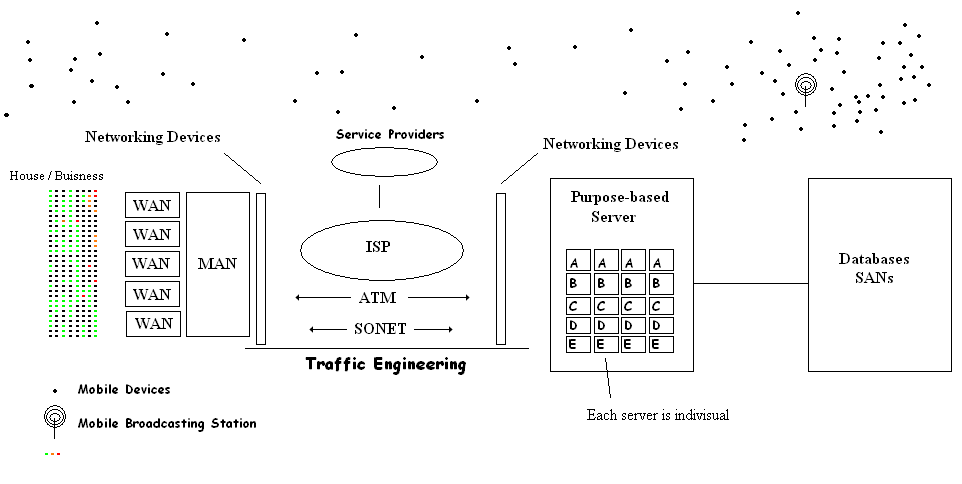
Featured image — Photo: User:Ramu50 / CC BY 3.0, via Wikimedia Commons
Frequently Asked Questions
Is Cloudways just DigitalOcean with a markup?
Not exactly. Cloudways can run on DigitalOcean, but it adds a full management layer — one-click installs, automated backups, caching, security patching, staging, and 24/7 support. You pay a premium for that convenience, which saves significant time versus managing a raw droplet yourself.
Can I move from DigitalOcean to Cloudways later?
Yes. Many people start on raw DigitalOcean and switch to Cloudways when server maintenance becomes a chore. Cloudways offers migration help so you can move your site over without downtime.
Which is cheaper?
Raw DigitalOcean is cheaper on paper because you do the work. Cloudways costs a bit more but bundles in management, caching, backups, and support — often cheaper overall once you value your time.
Do both offer a free way to try them?
Yes. DigitalOcean gives new users $200 in free credit, and Cloudways offers a free trial with no credit card required. You can test both before committing.