

You don’t need a design degree to make graphics that look like a professional made them anymore. AI design tools now handle layout, color, and even the blank-page problem for you — you just describe what you want or pick a template and let the AI fill in the rest.
Table of Contents
This guide ranks the AI design tools that actually work for non-designers in 2026, based on how easy they are to pick up with zero training, how good the AI-generated output really looks, and whether the free tier is generous enough to be useful before you pay anything.
Quick Answer
For most non-designers, Canva (with its Magic Studio AI tools) is the best all-around pick in 2026 thanks to its generous free tier and prompt-based Magic Design feature. If you want the highest-quality AI-generated images, Adobe Express with Firefly is stronger; if you want something completely free, Microsoft Designer is the safer bet.
How We Ranked These Tools
Four things separate a genuinely useful AI design tool from a gimmick: how quickly someone with no design background can produce something usable, how good the AI output actually looks without heavy manual cleanup, whether the free tier lets you test it properly before paying, and whether the tool covers a real workflow — social graphics, a full pitch deck, a logo and brand kit — rather than a single one-off trick.
The Best AI Design Tools for Non-Designers, Ranked
1. Canva (Magic Studio) — best overall. Canva’s Magic Studio bundles Magic Design (turns a text prompt into a full layout), Dream Lab (AI image generation with style transfer), Magic Write, and cleanup tools like Magic Eraser, Magic Expand, and Magic Resize. The free plan runs on a shared monthly AI allowance: up to 200 Standard AI uses (lighter tools like Magic Write) or up to 20 Premium AI uses (Dream Lab image generation, Magic Design, and similar heavier features), pulled from the same pool. Canva Pro, priced roughly in the low-to-high teens per month for one person depending on billing term, multiplies that allowance substantially — around 2,000 Standard AI uses and 200 Premium AI uses a month, plus full brand kit support and the background remover.
2. Adobe Express (with Firefly) — best AI image quality. Adobe Express is the simplified, non-designer-friendly front end for Adobe’s Firefly generative AI, so you get commercially-oriented image generation and generative fill without touching Photoshop. The free tier includes a limited number of Firefly generative credits a month with some watermarking; paid Firefly plans start under $10/month for a starter tier and run higher for more credits plus Photoshop access. Best for social ads and marketing graphics where output quality matters most.
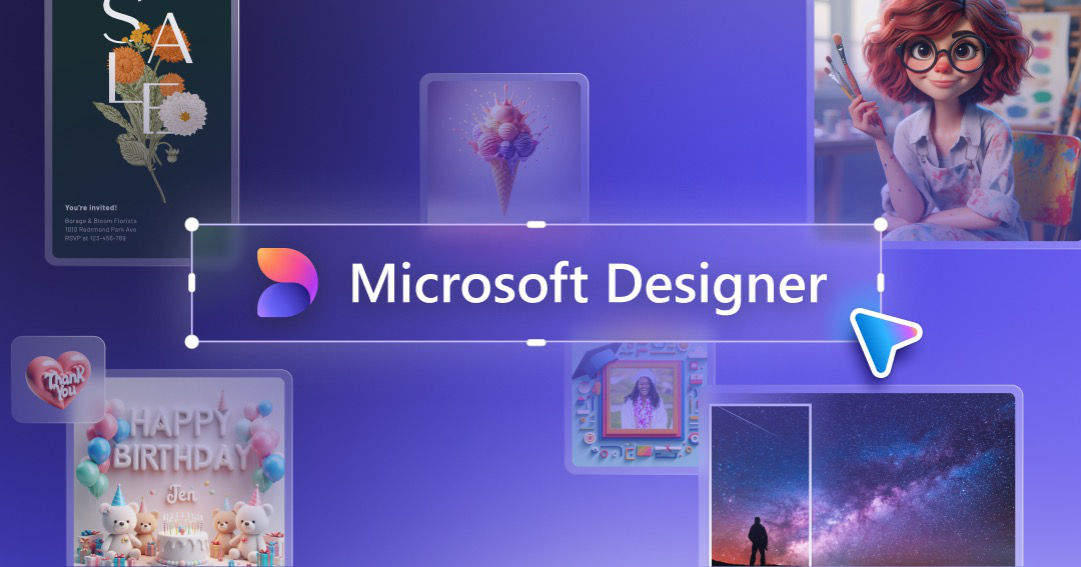
3. Microsoft Designer — best free option. Microsoft Designer is free to use with a monthly allotment of AI image credits, with a larger allotment if you have a Microsoft 365 subscription. There’s no separate paid tier for Designer itself, so it’s the lowest-commitment way to try AI image generation and simple social graphics.
4. Gamma — best for AI-built presentations. Gamma turns a prompt or outline into a full slide deck, document, or simple webpage, formatting and illustrating it automatically. The free plan gives you a one-time credit allowance that doesn’t refresh monthly; paid plans scale up from a Plus tier through Pro and Ultra tiers, with annual billing cutting the cost noticeably. It’s the fastest route from a rough idea to a presentable deck without opening a slide template.
5. Looka — best for logos and brand identity. Looka’s AI generates dozens of logo concepts from a short questionnaire, and the design step itself is free — you only pay when you download. A basic PNG-only logo runs a modest one-time fee, while the Premium package adds vector files (SVG/EPS) and full copyright ownership for a higher one-time price. Yearly Brand Kit plans add hundreds of templates for business cards, social posts, and other branded assets built around your new logo.
6. Figma (Figma Make & Buzz) — worth knowing as you grow. Figma is built for professional designers, but its newer AI features open it up: Figma Make generates app or web layouts from a text prompt, and Figma Buzz lets non-designers create on-brand marketing assets from templates without touching the core design file. Paid seats start in the mid-teens per month. It’s more powerful than the tools above but has a steeper learning curve — pick it if you’ll eventually need to hand designs off to developers.
Which Tool Should You Actually Pick
Everyday social graphics and general marketing: Canva. Premium ad creative or generative image quality: Adobe Express. Zero budget, occasional use: Microsoft Designer. Pitch decks, reports, or simple websites built from an outline: Gamma. A new logo and brand kit: Looka. A growing team that will eventually need developer handoff: Figma.
Tips / Common Mistakes
Don’t rely on AI image generation for anything that needs exact, readable text or a precise wordmark — most tools still garble lettering inside generated images, so logos and typography are better built with dedicated templates rather than a text-to-image prompt.
Check commercial usage rights before publishing, especially on free tiers — some free-tier outputs carry watermarks or usage restrictions that paid plans remove.
Test the free tier before subscribing. Several of these tools run on credit systems where the real cost per finished design or deck can be higher than the advertised monthly price suggests, since lighter and heavier AI actions can draw down the same shared allowance at very different rates.
Export vector or high-resolution files early if you might need them later — some tools, like Looka’s cheapest logo package, only hand over a flat PNG unless you pay for the higher tier.
Explore more: Explore more design guides.
AI design tools for non-designers FAQs
Do I need any design experience to use these tools?
No. All of the tools ranked here are built specifically so people with no design background can produce usable graphics, decks, or logos through prompts, templates, or guided questionnaires.
Which AI design tool is completely free to use?
Microsoft Designer and Canva both have genuinely free tiers. Microsoft Designer has no paid tier of its own (extra credits come from a Microsoft 365 subscription), while Canva’s free plan covers a monthly allowance of AI tool usage shared across its Magic Studio features.
Can I use AI-generated designs commercially?
Usually yes on paid plans, but check each tool’s terms first — some free tiers add watermarks or limit commercial use, and rights can vary between AI-generated images, templates, and logos.
What’s the best AI tool for building a logo?
Looka is the strongest dedicated option — its AI generates multiple logo concepts for free, and you only pay when you download the files you want to keep.
Make Your Digital Life Better
More practical tech how-tos, tool picks, and guides to upgrade your everyday digital life. More on GTWebs.
Photo by Emily Bernal on Unsplash.