

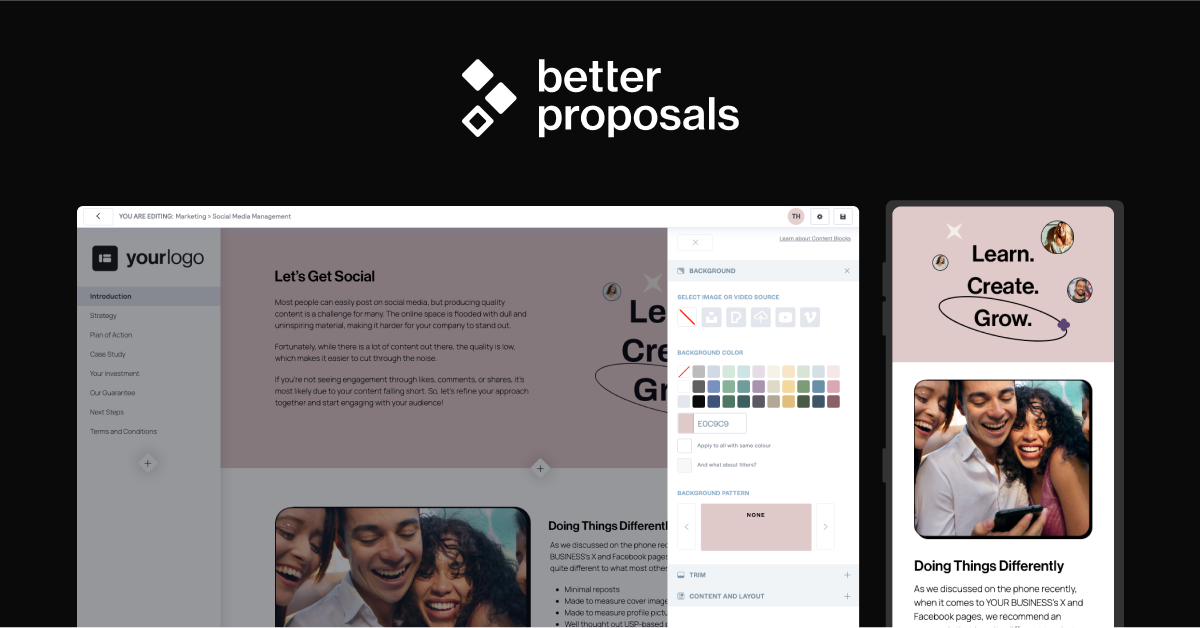
Chasing down a signature or explaining scope over email doesn’t close deals as fast as a clean, trackable proposal does. Dedicated proposal software lets you build a branded document in minutes, see exactly when a client opens it, and collect an e-signature and deposit without a single back-and-forth email.
Table of Contents
This guide breaks down what proposal software actually does for solo operators, walks through the leading tools worth considering in 2026, and gives you a simple process for picking the right one for your workflow and budget.

Quick Answer
For most freelancers, Better Proposals or PandaDoc are the best starting points — Better Proposals for fast, good-looking sales documents at a low price, and PandaDoc if you also want e-signatures and document workflows folded into one tool. If you run a service-based creative business (photography, design, events), HoneyBook bundles proposals with invoicing, contracts, and scheduling in a single client-management platform.
What Proposal Software Actually Does for a Freelancer
At its core, proposal software replaces a Word doc or PDF attachment with an interactive, trackable web page. You start from a template, drop in your scope of work, pricing, and terms, then send a link instead of a file. The client reads it in their browser, can accept and e-sign right there, and in many tools can pay a deposit on the spot.
The real value for freelancers is visibility and speed. Most platforms notify you the moment a proposal is opened and show which sections got read, so you know whether to follow up or hold off. Built-in e-signature and templates also cut the time between ‘sounds great, send it over’ and a signed, paid engagement — which matters most when you’re competing against other freelancers for the same client.
Look for a few core features regardless of which tool you pick: reusable templates so you’re not rebuilding proposals from scratch, view/read tracking, legally binding e-signatures, and either built-in payment collection or an integration with the invoicing tool you already use.
Top Proposal Software Options Compared
Better Proposals is a dedicated proposal tool built for speed. Paid plans start around $13–19/user/month (billed annually), with tiers based on how many proposals you send per month. It focuses purely on the proposal-to-signature stage — strong templates, tracking, and e-signing — but doesn’t include invoicing or a full client portal, so you’ll likely pair it with a separate accounting tool.
PandaDoc covers a broader document lifecycle: proposals, quotes, contracts, and e-signatures in one place. It has a limited free e-signature plan, with paid plans starting at $19/seat/month (Starter) and $49/seat/month (Business) for proposal-specific features like content libraries and CRM integrations. It’s a solid pick if you send contracts and quotes as often as proposals.
Proposify is built around proposal analytics and a large template library, with plans starting around $19–29/user/month. Drafting and editing documents is unlimited on every plan, but sending a proposal to a client counts against a monthly allowance, with extra sends billed per send once you go over — so it works best for freelancers who send a predictable, moderate number of proposals and already have a separate billing tool for invoicing.
HoneyBook bundles proposals with contracts, invoicing, payments, scheduling, and a client portal, aimed at creative freelancers — photographers, designers, event professionals. Plans start at $29/month (billed yearly) for the Starter tier, which is a good fit if you’d rather run your whole client workflow from one app instead of stitching tools together.
Qwilr builds interactive, web-based proposals that can include embedded video, pricing calculators, and comparison tables — useful if you want a more visual, agency-style pitch. Plans start at $35/user/month and include e-signature and payment collection via its own Qwilr Pay.
Dubsado is more of a full client-management platform (forms, scheduling, invoicing, workflows) where proposals are one piece of a larger toolkit. Public proposal sharing is only available on its Premier plan (roughly $525/year billed annually), so it makes more sense if you want automated onboarding workflows alongside proposals rather than a proposal tool on its own.
How to Choose the Right Tool
Start by deciding whether you want a dedicated proposal tool or an all-in-one client-management platform. If proposals are the only pain point in your workflow and you already invoice through something like Stripe or QuickBooks, a focused tool like Better Proposals or Proposify avoids paying for features you won’t use. If you’re managing the whole client relationship — inquiry, proposal, contract, invoice, scheduling — an all-in-one platform like HoneyBook or Dubsado saves you from juggling multiple subscriptions and logins.
Next, check send limits and seat pricing carefully. Several tools price around how many proposals you send per month rather than offering fully unlimited use on every tier, so a slow month can leave you paying for capacity you don’t need, and a busy month can push you into overage fees or a higher tier. Match the plan to your actual proposal volume, not your ideal one.
Finally, run a real proposal through the free trial before committing. Build the exact kind of proposal you send most often, check how it looks on mobile (most clients open these on their phone first), and confirm the e-signature and payment flow work the way you expect.
Tips / Common Mistakes
Don’t rebuild every proposal from scratch — invest an hour up front creating two or three templates for your most common project types, then customize from there. This is where most of the time savings come from.
Keep pricing sections simple and scannable. Clients skim on their phones; a clear scope-and-price table converts better than dense paragraphs of legal language.
Turn on notifications for opens and section views, and follow up within a day or two of a proposal being opened but not signed — that window is when a nudge is most effective.
Read the fine print on send limits and overage fees before committing to a plan — some tools cap included sends per month and charge per additional send, which can add up if your volume is unpredictable.
If you already invoice through another platform, verify the proposal tool integrates with it (or exports cleanly) before you commit, so you’re not manually re-entering the same client and pricing data twice.
Explore more: Business tools and resources.
proposal software for freelancers FAQs
Do freelancers really need dedicated proposal software?
Not always — a well-formatted PDF works fine early on. But once you’re sending several proposals a month, tracking opens, e-signing, and templating save enough time and follow-up guesswork that most freelancers find the subscription pays for itself.
What’s the cheapest proposal software for freelancers?
Better Proposals’ Starter plan (around $13/user/month billed annually) is among the most affordable dedicated options. PandaDoc also offers a limited free e-signature plan if you mainly need signing rather than full proposal design.
Can I collect payment directly through a proposal?
Yes — tools like HoneyBook, Qwilr, and PandaDoc’s higher tiers support collecting a deposit or full payment at the moment a client signs, which can shorten the time between agreement and getting paid.
Is HoneyBook or Dubsado better for a solo freelancer?
Both bundle proposals with broader client management. HoneyBook tends to suit creative freelancers wanting polished, template-driven proposals and payments in one place, while Dubsado leans more into customizable automated workflows, with proposal sharing gated behind its higher-priced Premier plan.
Make Your Digital Life Better
More practical tech how-tos, tool picks, and guides to upgrade your everyday digital life. More on GTWebs.
Images: Better Proposals.