


Losing a checked bag is every traveler’s nightmare, but in 2026 you don’t need to pay a recurring subscription to keep tabs on your luggage. The best luggage trackers on the market this year are slim, lightweight, and charge nothing beyond the one-time purchase price.
Table of Contents
This guide breaks down the top subscription-free options — who each one works best for, what they actually cost, and one critical distinction that could save you from buying the wrong device entirely.

Quick Answer
The best no-subscription luggage trackers in 2026 are the Apple AirTag for iPhone users, the Samsung Galaxy SmartTag2 for Samsung Galaxy users, and the Chipolo POP or Pebblebee Universal for anyone with a mixed iPhone/Android household. All are Bluetooth crowd-finders — not cellular GPS — meaning there is no SIM card and no monthly fee. If you want a true real-time GPS tracker that works anywhere regardless of nearby devices, be aware those almost universally require a paid subscription plan.
GPS vs. Bluetooth: The Distinction That Matters
When most travelers search for a ‘GPS luggage tracker,’ they mean any device that shows their bag’s location on a map. Two very different technologies power consumer luggage trackers. True GPS trackers use cellular networks to report location in real time from anywhere — but that cellular data costs money, which is why those devices carry monthly fees.
Bluetooth crowd-finders — AirTag, SmartTag2, Chipolo, Pebblebee, Tile — work by piggybacking on other people’s smartphones. When a device in the network passes near your tracker, it anonymously reports your bag’s location back to you. This costs nothing because you are using the network’s existing infrastructure rather than a paid SIM. In busy airports, train stations, and city streets, Bluetooth crowd-finders perform extremely well. In remote or rural areas, performance depends on how many compatible devices happen to be nearby.
For the vast majority of travelers, a Bluetooth crowd-finder is the practical, cost-effective choice. A no-subscription tracker that delivers reliable real-time GPS in all conditions simply does not exist at consumer prices in 2026.
Top Picks for 2026
Apple AirTag (2nd Gen) — around $29. The AirTag is the strongest choice for anyone in the Apple ecosystem. It connects to a vast network of Apple devices, which translates to excellent coverage in major airports and international travel hubs. On newer iPhones, Precision Finding uses Ultra Wideband (UWB) to guide you to within feet of a bag using directional arrows — a level of precision none of the Android alternatives fully match. Battery life runs roughly a year on a single CR2032 coin cell (user-replaceable and FAA-compliant for checked bags). One practical note: the AirTag does not include a mounting loop, so budget extra for a luggage attachment accessory. A useful bonus for frequent flyers: many airlines now accept AirTag location data through Apple’s Share Item Location feature, which can speed up delayed-baggage claims considerably.
Samsung Galaxy SmartTag2 — around $27–$30. For Samsung Galaxy users, the SmartTag2 is the Android-world equivalent of the AirTag. It has a built-in keyring hole so no extra accessory is needed, and its battery life is notably long compared to most competitors. The SmartThings Find app offers AR-guided finding on Galaxy devices, similar in concept to AirTag’s Precision Finding. The key limitation is ecosystem lock-in: setup requires a Samsung Galaxy phone, and the SmartThings network is thinner in markets where Samsung devices are less prevalent.
Chipolo POP — around $29. The Chipolo POP is a strong choice for mixed households or Android users without a Samsung phone. It supports both Apple Find My and Google’s Find My Device network — you choose which one to pair with during setup, and you can switch by performing a factory reset. It has a built-in keyring hole, an IP55 dust- and water-resistance rating, up to 300 feet of Bluetooth range, and comes in multiple colors. It launched in April 2025 and uses a replaceable CR2032 battery lasting around a year.
Pebblebee Universal — around $35. Pebblebee Universal is another dual-network option that supports both Apple Find My and Google’s Find My Device, making it a direct Chipolo POP alternative for mixed-platform households. Like the Chipolo POP, you select one network at setup and need a factory reset to switch. All three Universal form factors (Clip, Card, and Tag) are rechargeable — a convenience for travelers who prefer not to swap coin cells. The Clip form factor works well for luggage attachment.
Tile Mate — around $25. If cross-platform simplicity at the lowest price is the priority, the Tile Mate is worth considering. It works on both iPhone and Android through the Tile app with no ecosystem restrictions. Basic tracking is completely free; Tile’s optional monthly fee only unlocks premium extras that most travelers do not need. The trade-off is a smaller detection network than Apple’s Find My, so location update frequency in quieter areas can lag.
How to Choose the Right Tracker
Match the tracker to your phone ecosystem first. iPhone → AirTag. Samsung Galaxy → SmartTag2. Non-Samsung Android, or a household with mixed iPhone and Android devices → Chipolo POP or Pebblebee Universal (the Pebblebee Universal is worth choosing if you prefer rechargeable over coin-cell). Tile Mate works on both platforms and suits budget-focused travelers. This single decision drives most of the performance difference, because a denser network means more frequent location pings in the airport when a bag goes missing.
Think about attachment before you buy. The AirTag needs a separate accessory; the SmartTag2, Chipolo POP, and Pebblebee Clip all have built-in holes or clips. For checked luggage specifically, slipping a slim holder inside a zippered interior pocket is more secure than clipping it to an outside handle — it is harder for anyone to remove and harder for bag handlers to snag.
Battery considerations matter across multiple trips. Most of these trackers use user-replaceable CR2032 batteries, which keeps long-term cost low. The Pebblebee Universal uses a rechargeable battery instead — a convenience for those who dislike swapping cells, though it requires access to a charger. All coin-cell models are permitted in checked luggage under FAA regulations.
Tips and Common Mistakes
Do not expect real-time updates in the air. No subscription-free tracker can update during a flight — the last known location before departure and the first ping after landing are what you get. This is normal behavior, not a malfunction. Real-time in-flight tracking requires a cellular connection, and that means a subscription fee.
Use airline integration when available. If your airline supports Apple’s Share Item Location, share a link before you check in. Airline staff can then use your tracker’s location directly when investigating a delayed or misrouted bag, rather than relying solely on their internal baggage systems.
Place the tracker inside the bag, not on the outside handle. A visible tracker on an external loop is easy to spot and remove. Tuck it into an interior zippered pocket so it stays hidden and protected through the handling process.
Use one tracker per bag you cannot afford to lose. A single tracker attached to your carry-on does nothing for a checked bag that gets separated. If you are checking multiple pieces of luggage, each one needs its own device.
Be skeptical of listings that promise real-time GPS tracking with zero subscription fees. Legitimate Bluetooth crowd-finders are transparent about how they work; any device claiming true GPS real-time tracking for free is either misleading or has a subscription buried in the fine print.
Explore more: Travel tips and gear guides.
GPS luggage trackers no subscription FAQs
Do Bluetooth luggage trackers work on international flights?
Yes, with one important caveat: they cannot update while the plane is airborne. The tracker logs its last known location before the flight and picks up a new location once the bag is within range of a compatible device on the ground at the destination. In major international airports, which tend to have high concentrations of compatible smartphones, this typically means a location update arrives quickly after landing.
Are luggage trackers allowed in checked bags by the TSA and airlines?
Yes. The TSA permits Bluetooth trackers that use standard coin-cell batteries such as the CR2032 in checked luggage. The small lithium cells in AirTag, SmartTag2, Chipolo POP, and Tile all fall within FAA-allowed limits for checked bags. It is always worth double-checking your specific airline’s current policy, as a small number of carriers have historically flagged certain tracker models — though this is uncommon.
What is the best luggage tracker for Android users without a Samsung phone?
The Chipolo POP and Pebblebee Universal are both strong picks for non-Samsung Android users. Both integrate with Google’s Find My Device network, offer a built-in attachment point, and require no subscription. The Chipolo POP costs around $29 and uses a replaceable coin-cell battery; the Pebblebee Universal costs around $35 and is rechargeable. Tile Mate is a solid budget alternative at around $25 and works across both iOS and Android without any ecosystem restrictions.
Make Your Digital Life Better
More practical tech how-tos, tool picks, and guides to upgrade your everyday digital life. More on GTWebs.
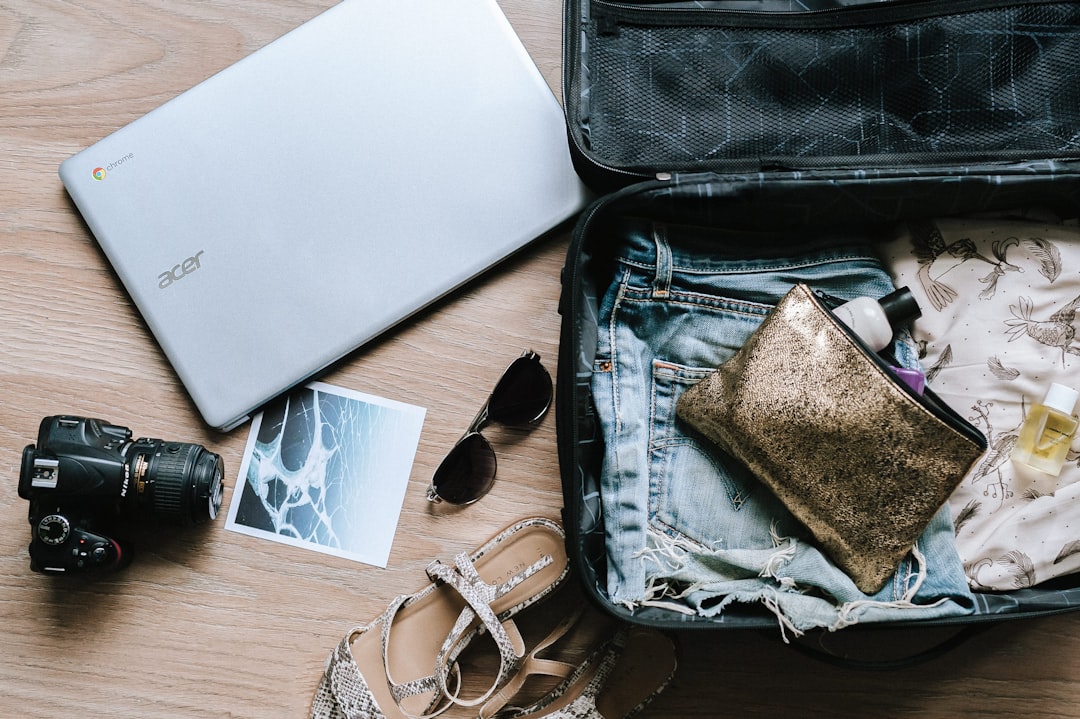
Photo by Marissa Grootes on Unsplash.