

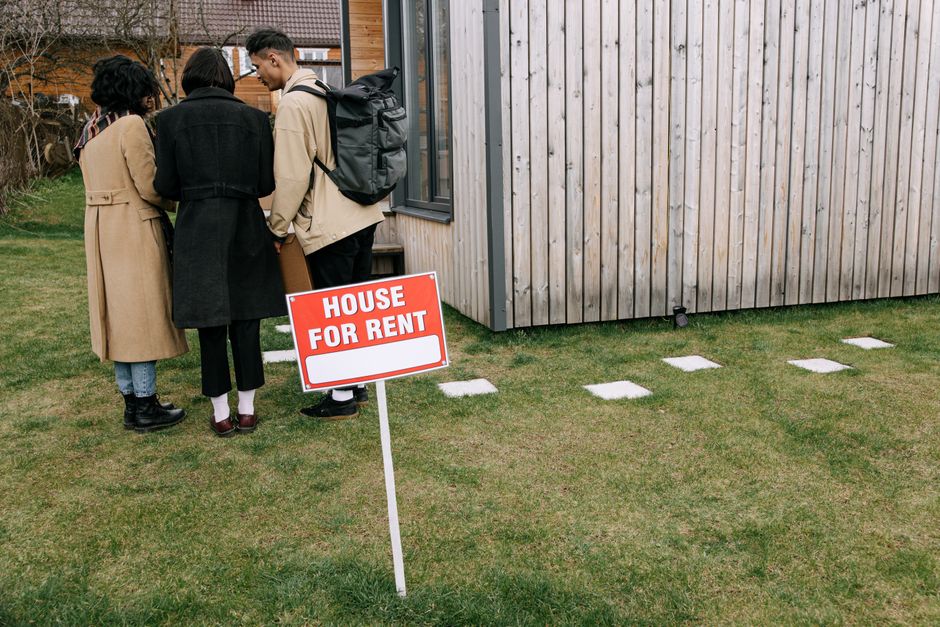
Renting doesn’t mean settling for a dumb home. The real challenge is building one that’s genuinely useful without putting your security deposit at risk. Everything in this guide plugs in, screws in, or sticks on — and comes back out cleanly when you move.
Table of Contents
The smart home industry has largely shifted toward wireless, adhesive, and plug-in hardware, which means renters are no longer second-class citizens in this space. Whether you’re in a studio or a two-bedroom, you can put together a solid setup in an afternoon with zero holes in the walls and zero negotiations with your landlord.
Quick Answer
Start with an Amazon Echo, a pack of smart bulbs for your lamps, and a smart plug or two for appliances — that covers lighting and voice control without touching a single wall. For keyless entry, the August Wi-Fi Smart Lock clamps onto your existing deadbolt interior (no drilling, landlord’s keys still work, around $200). It gives you auto-lock, auto-unlock, and app-based guest access — physical keypad PIN entry requires the separately sold Yale Keypad Touch add-on. For security, the Wyze Cam v4 sits on any shelf and records in 2.5K QHD for around $36 with no monthly subscription required.
The No-Drill Starter Stack: Hub, Bulbs, and Plugs
The easiest entry point is Amazon’s Smart Home Starter Kit, which bundles an Echo Hub, an Amazon Smart Plug, and four Amazon Basics Smart Bulbs in a single box (ASIN B0DB3YCPH5, available on Amazon.com). The bulbs screw into any standard E26 lamp socket, the plug turns any floor lamp or appliance into a schedulable device, and the Echo Hub gives you a touchscreen control panel and Alexa voice control — all without touching a wall or flipping a breaker.
If you’d rather invest in a premium lighting ecosystem with a wider range of accessories, the Philips Hue White and Color Ambiance Starter Kit includes both bulbs and a Hue Bridge hub. It costs more upfront but delivers rock-solid reliability, deeper automation options, and a large ecosystem of Hue-compatible accessories you can add room by room. Either way, bulbs screw in and pull out — fully reversible.
Smart plugs are underrated. A plug on a floor lamp means your living room lighting responds to Alexa, schedules, and routines without you ever touching the switch. A plug on the coffee maker means waking up to a fresh pot on a timer. The IKEA Inspelning and Amazon Basics Smart Plug both work for this and cost well under $20 each. Plug in as many as you like — no installation, no commitment.
Going Further: Smart Lock and Camera
The August Wi-Fi Smart Lock (around $200, verified at august.com) is the upgrade that makes the biggest daily quality-of-life difference. It clamps onto the interior thumb-turn of your existing deadbolt using a screwdriver and a set of included adapter plates — no drilling, no permanent modification, installs in under 10 minutes. The exterior of your door stays completely unchanged, your landlord’s keys keep working, and you gain auto-lock, auto-unlock via geofencing, a DoorSense sensor that confirms whether the door is actually closed, and app-based guest access you can grant and revoke instantly through the August app. Note: physical keypad PIN entry (for guests without a smartphone) requires the separately sold Yale Keypad Touch accessory. The lock itself works with Alexa, Google Home, and Apple HomeKit. When you move, it reverses just as fast.
For indoor security, the Wyze Cam v4 (around $36, verified at wyze.com) sits on any bookcase, nightstand, or shelf using its magnetic base — no screws, no adhesive, no surface contact beyond the base sitting there. It records in 2.5K QHD with color night vision, and a separately purchased microSD card gives you full local recording for free with no subscription. An optional Wyze paid plan adds cloud backup if you prefer it. It’s IP65-rated, so it works in bathrooms or near windows without issue.
If you want a full security system, the Ring Alarm 5-Piece Kit (2nd Gen) is worth considering. The contact sensors for doors and windows use 3M adhesive backing and stick cleanly to smooth frames. The base station plugs in, the keypad can sit on a shelf or use its adhesive mount, and there’s no contract — you can self-monitor for free or add professional monitoring month-to-month.
Tips and Common Mistakes
Check your bulb socket type before ordering. The standard US socket is E26 (medium base), but ceiling fans, small lamps, and chandelier-style fixtures often use E12 (candelabra base) — a common mismatch that leads to returns. Also pick one hub ecosystem early: Alexa has the broadest device compatibility, Apple HomeKit has the best privacy controls, and Google Home sits in between. Mixing them is possible but adds friction. Stick to one for your first setup.
Before ordering the August lock, verify your deadbolt type. It works with most standard single-cylinder deadbolts, but August provides a compatibility guide on their site — use it. Also consider whether you need keypad PIN entry for guests who don’t have a smartphone; if so, budget for the Yale Keypad Touch add-on alongside the lock. For adhesive sensors, avoid rough or textured surfaces like painted brick or stucco; those surfaces dramatically reduce adhesion. Smooth painted door frames work best for contact sensors.
For $20 or less, a Tuya Wi-Fi IR Blaster gives smart control to your window AC unit, TV, fan, or any appliance with a remote — no wiring, no installation, just plugs into USB power. Finally, look for the Matter logo when buying new devices. Matter is an open standard that lets hardware work simultaneously across Alexa, Google, Apple HomeKit, and Samsung SmartThings, so if you ever switch ecosystems your devices go with you.
Explore more: More technology guides and reviews.
Smart Home for Renters FAQs
Will adding a smart lock violate my lease?
The August Wi-Fi Smart Lock is specifically designed to avoid this. It installs entirely on the interior side of the door, leaves the exterior hardware untouched, and keeps your landlord’s original keys working at all times. Most lease restrictions cover permanent modifications — this qualifies as neither. That said, if your lease is unusually restrictive, a quick email to your landlord describing the device usually resolves any concern.
Do smart bulbs work in overhead ceiling fixtures?
Yes, as long as you can reach the socket. Screw in the smart bulb exactly as you would a regular bulb — no wiring changes needed. If your ceiling fixture is difficult to access or uses a pull chain, it’s simpler to add a smart plug to a floor or table lamp instead. You end up with the same voice and app control either way.
Do any of these devices require a monthly subscription?
Most core features work without one. The Wyze Cam v4 records locally to a microSD card for free. Ring Alarm includes self-monitoring at no charge, with optional professional monitoring available month-to-month and no annual contract. The August lock’s auto-lock, auto-unlock, and app-based guest access features are all free; a paid plan is optional and only needed for in-home delivery integrations. Smart bulbs and plugs never require subscriptions.
Make Your Digital Life Better
More practical tech how-tos, tool picks, and guides to upgrade your everyday digital life. More on GTWebs.
Photo by Ivan S on Pexels.