

Smart rings like Oura have made sleep tracking popular, but not everyone wants a piece of hardware clamped on their finger every night, let alone the price tag or the subscription that often comes with it. The good news is you don’t need one. Several apps can track your sleep using nothing but your phone.
Table of Contents
This guide covers the best phone-only sleep tracking apps, how they actually work without a wearable, and how to pick the right one for your phone and your habits.
Quick Answer
Sleep Cycle is the best all-around sleep tracking app if you don’t want to wear anything to bed. It works on both iPhone and Android and offers a microphone-based nightstand mode, so the phone doesn’t need to be in the bed with you, plus a smart alarm that wakes you during light sleep. If you’re on Android and want deeper customization or fully contactless sonar tracking, Sleep as Android is the stronger pick.
How Phone-Only Sleep Tracking Actually Works
These apps skip wearables entirely by using sensors already built into your phone, but how you place the phone depends on which detection method you use. Some apps track movement with the accelerometer, which requires the phone to be on the mattress near you so it can pick up vibrations as you shift in bed. Others use the microphone or a sonar-style sound pulse to listen for breathing, snoring, or movement from a distance, which lets you leave the phone on the nightstand instead.
From that data, the app estimates when you fell asleep, how restless you were, and roughly which sleep stage you’re in at a given moment, then uses that to time a ‘smart alarm’ that wakes you during lighter sleep instead of jolting you out of deep sleep.
It’s worth being upfront about accuracy: without a sensor actually touching your skin to read heart rate or blood oxygen, phone-only tracking is an estimate, not a clinical-grade measurement. It’s good for spotting trends over weeks (whether you’re sleeping more or less restlessly, whether a new bedtime routine is helping) rather than exact sleep-stage percentages on any single night.
The Best Apps to Use Instead of a Ring
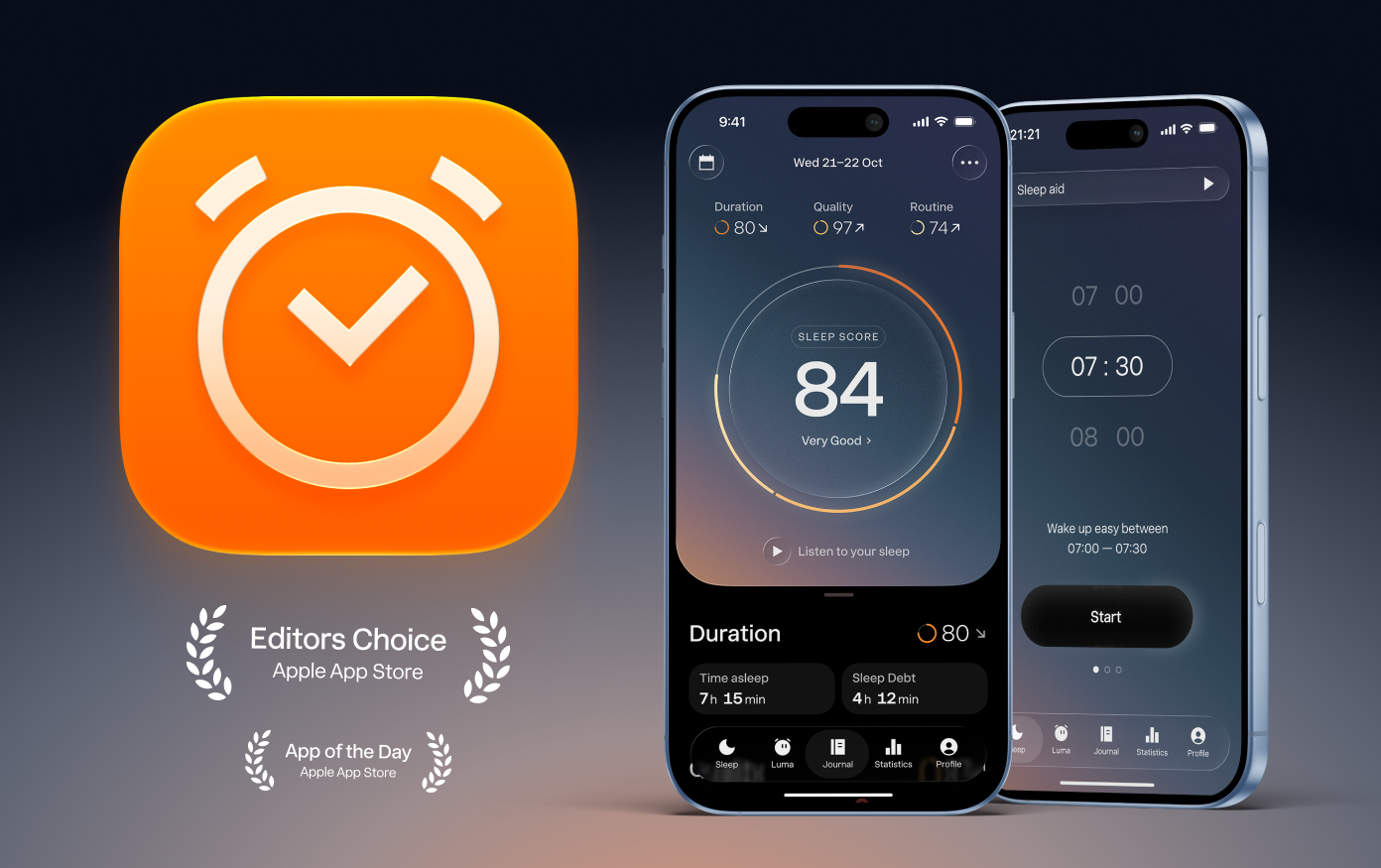
Sleep Cycle (iOS and Android, free with optional Premium subscription) is the most polished option and the easiest to recommend for most people. It gives you a choice of two tracking modes: a microphone-based mode that works with the phone on the nightstand (the method Sleep Cycle itself recommends for accuracy and flexibility), or an accelerometer-based mode that requires placing the phone directly on the mattress. Either way you get a smart alarm window, snore and sleep-talk detection, and long-term trend charts. The free version covers the core tracking and alarm; Premium adds extras like detailed sleep stats and an AI sleep coach called Luma.
Sleep as Android (Android only, free with a one-time premium unlock) is the deeper, more configurable option if you like to tinker. It uses sonar-style contactless tracking so the phone doesn’t need to be in the bed with you, plus snore detection, sleep-talk recording, and smart-home integrations like Philips Hue for a light-based wake-up. It can also pair with a Wear OS watch or fitness band later if you ever decide you do want a wearable, but it works fully on just the phone.
Pillow (iPhone, iPad, and Apple Watch, free with Premium subscription) is worth a look if you’re an Apple-only household. Used on its own, it tracks sleep by motion, so the iPhone needs to be placed on the mattress near your pillow rather than on the nightstand; pairing it with an Apple Watch later adds heart-rate detail and lets the Watch itself do the tracking instead.
Tips and Common Mistakes
Keep the phone plugged in overnight. Continuous motion and audio tracking drains battery fast, and a dead phone means no data and no alarm.
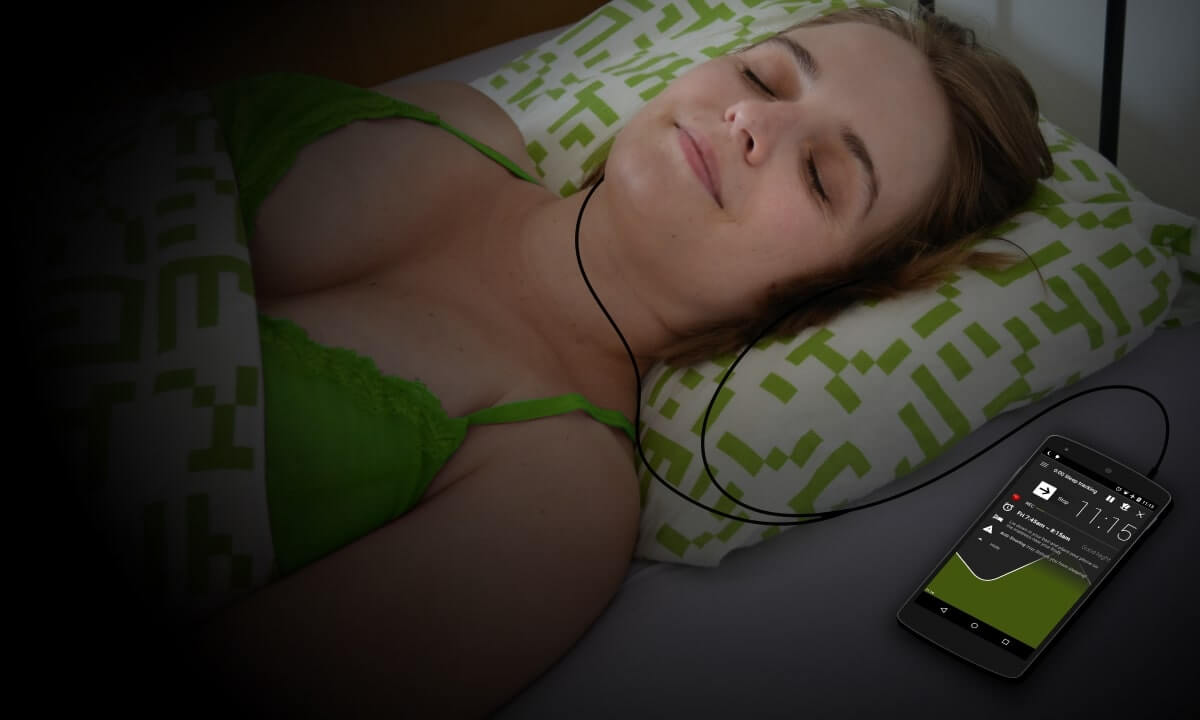
Match the placement to the mode you picked. Accelerometer-based tracking (Sleep Cycle’s accelerometer mode, Pillow without a Watch) needs the phone on the mattress near your torso to register movement. Microphone- or sonar-based tracking (Sleep Cycle’s nightstand mode, Sleep as Android’s sonar mode) is built for the phone to sit on the nightstand instead — check your app’s settings before you assume it’s working from across the room.
Mute notifications, not the app. Use the app’s own ‘Do Not Disturb’ or airplane-mode-safe setting rather than fully silencing the phone, so the smart alarm can still sound.
Don’t expect clinical accuracy. Treat the sleep score and stage breakdown as a trend line, not a diagnosis. If you suspect a real sleep disorder like sleep apnea, talk to a doctor rather than relying on any consumer app.
A partner or pet in the bed can confuse motion tracking. If you share a bed, sonar- or microphone-based modes are generally less thrown off by a second person moving than accelerometer modes, since they aren’t reading mattress vibrations directly.
Explore more: more fitness tech guides.
Sleep Cycle app FAQs
Can a phone really track sleep as well as a ring?
Not quite as precisely. A ring sits against your skin and can read pulse and blood oxygen directly, while a phone is estimating sleep from motion or sound. Phone apps are reliable for spotting trends and timing a gentler wake-up, but they’re less precise about exact sleep stages than wearables with skin contact.
Do these apps work if someone else sleeps in the bed with me?
They can, but accuracy drops with accelerometer-based tracking since a partner’s movement can register as your own. Microphone- or sonar-based modes, like Sleep Cycle’s nightstand setting or Sleep as Android’s sonar mode, handle a shared bed better since they aren’t reading mattress vibrations.
Will tracking sleep drain my phone battery?
Yes, noticeably, since the microphone, speaker, or motion sensor runs all night. Plug your phone in before you start a tracking session to avoid waking up to a dead battery and a missed alarm.
Is Sleep Cycle or Sleep as Android better?
Sleep Cycle is the easier, more polished choice and works on both iPhone and Android, with a flexible nightstand mode. Sleep as Android is Android-only but offers more customization, fully contactless sonar tracking, and smart-home integrations if you want more control over the experience.
Make Your Digital Life Better
More practical tech how-tos, tool picks, and guides to upgrade your everyday digital life. More on GTWebs.
Want web tips in your inbox? Subscribe to the free newsletter.
Images: Sleep Cycle.