

Strava is free to use for tracking runs, rides, and other workouts, but the app constantly nudges you toward a paid subscription with locked leaderboards, blurred-out charts, and “upgrade to see this” banners. If you’re new to the app, it’s easy to assume you’re missing out on something essential.
Table of Contents
You’re probably not — at least not yet. This guide breaks down exactly what’s free, what’s locked behind Strava’s paid subscription, what it costs, and how to tell whether your specific training habits justify paying for it.
Quick Answer
For most beginners, Strava’s free tier is enough: it covers unlimited activity recording, the social feed, kudos and comments, clubs, following routes other people have created, free use of Strava Beacon for live safety tracking in the app, and a limited (top 10) segment leaderboard. Strava’s paid subscription — $11.99/month or $79.99/year — is worth it once you start caring about structured training data, full segment leaderboards, building your own custom routes, or offline route maps, which usually happens a few months into consistent training rather than on day one.
What You Get for Free
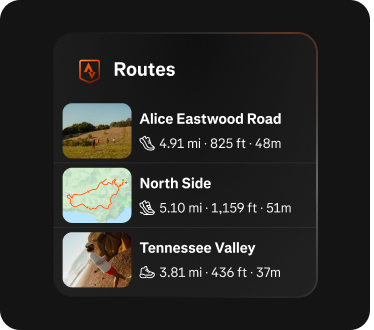
The free version of Strava is more generous than most fitness apps’ free tiers. You get unlimited GPS activity recording and history, the ability to follow friends and see their activities in a feed, giving and receiving kudos and comments, joining clubs, basic post-activity stats (distance, pace, time, elevation, and a map of your route), and the ability to browse and follow routes that other athletes have already created. You can also see segment leaderboards, though you’re limited to viewing the top 10 athletes rather than the full ranked list or filtered views (by age group, gender, or your followers). Strava Beacon, which shares your live location with chosen contacts for safety, is also free to use directly in the Strava mobile app regardless of subscription status.
For someone just starting to run or ride and mainly wanting to log activities, build a habit, and stay motivated through the social features, this covers the core experience. Beginners rarely need advanced training-load metrics before they’ve built a consistent routine, so there’s no rush to pay before you know which paid features you’d actually use.
What Strava’s Subscription Actually Adds
Strava’s paid subscription costs $11.99 per month or $79.99 per year (works out to roughly $6.67/month billed annually) in the US, plus applicable taxes. A Family Plan is also available at $139.99/year for up to four accounts, and a bundled Strava + Runna plan (which adds Runna’s structured run coaching) runs $149.99/year. Strava typically offers a free trial period if you want to test the paid features before committing.
The subscription unlocks several groups of features. On the competitive side, you get full segment leaderboards with filters by time period, age, weight, gender, and your followers, plus Live Segments that show real-time effort comparisons as you ride or run. On the training-analysis side, you get Relative Effort and Fitness & Freshness (a training-load dashboard), Training Log views, Matched Activities to compare repeated efforts over time, Grade Adjusted Pace, custom heart rate zones, and post-workout “Athlete Intelligence” AI summaries. On the route-planning side, subscribers can build custom routes from scratch with the route planner (free users can only follow routes others have made), plus Suggested Routes generated from popular local paths, Personal Heatmaps showing where you’ve been most, and offline map downloads for areas with no signal. There’s also real-time Live Performance Data on your phone during an activity, using Beacon on certain connected devices without the Strava app open, and access to Group Challenges and partner perks/discounts.
How to Decide: Free vs. Paid
Start free and upgrade only when a specific limitation actually gets in your way. If you’re mostly logging casual workouts and enjoying the social side, stay free — you’re not missing functionality that changes your training. If you’ve started training with a heart rate monitor or power meter and want to understand trends over weeks and months, Fitness & Freshness and workout analysis become genuinely useful, and that’s a reasonable point to subscribe.
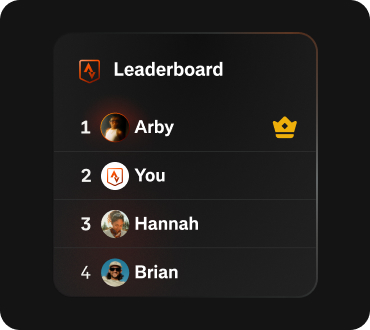
If you regularly run or ride in remote areas with spotty cell service, offline maps alone can be worth the subscription for safety and navigation. If you want to plan your own custom routes instead of just following ones other people made, that also requires a subscription. If you’re competitive on specific climbs or routes and want to see your real rank (not just top 10) or compare against your friends specifically, full segment leaderboards deliver that. Note that you don’t need to pay just to use Strava Beacon for live location sharing while training alone — that’s free in the mobile app for everyone.
A middle-ground option: subscribe for one month during a training block (like marathon prep) to use the advanced analysis, route builder, and offline maps, then downgrade to free once the event is over. Strava lets you cancel anytime, and your activity history stays intact whether you’re subscribed or not.
Tips / Common Mistakes
Don’t subscribe just because the app nudges you — Strava shows upgrade prompts on nearly every locked feature, which makes free feel more limited than it is for casual users. Try the free trial before paying for a full year, so you can confirm you’ll actually use the training-load or route-building features rather than just the leaderboard bragging rights. If you already use a dedicated running or cycling watch (Garmin, COROS, Wahoo), check whether its companion app already gives you the training analysis Strava charges for — you may be able to skip the subscription entirely and just sync activities to Strava for the social side. Finally, don’t assume you need to pay for basic safety tracking: Strava Beacon works for free in the app, so save the subscription decision for features you’d actually use, like route building or offline maps.
Explore more: more fitness app guides.
Strava Subscription FAQs
Does Strava work at all without a subscription?
Yes. Strava’s core function — recording and saving GPS activities, viewing your history, and using the social/club features — is fully free with no time limit.
How much does Strava Premium cost?
In the US, it’s $11.99/month or $79.99/year (about $6.67/month billed annually), plus tax. A Family Plan is $139.99/year for up to four accounts, and a Strava + Runna bundle is $149.99/year.
Can free users create their own routes on Strava?
No — free users can browse and follow routes other athletes have already built, but creating a custom route from scratch with Strava’s route planner requires a subscription.
Do I need to pay for Strava Beacon to share my live location?
No. Strava Beacon’s live location sharing is free for everyone directly in the Strava mobile app; a subscription is only needed to use Beacon on certain compatible devices without the app open.
Is Strava’s paid plan worth it for a beginner runner?
Usually not right away. Beginners get the most value from the free tier’s activity tracking and social motivation features first, and tend to grow into wanting the paid training-analysis, route-building, or leaderboard features after a few months of consistent training.
Make Your Digital Life Better
More practical tech how-tos, tool picks, and guides to upgrade your everyday digital life. More on GTWebs.
Want web tips in your inbox? Subscribe to the free newsletter.
Images: Strava.