

If you own a Garmin watch, you’ve probably noticed your workouts show up in two different apps: Garmin Connect, which came with the device, and Strava, which everyone talks about. Both track the same run or ride, but they’re built for different jobs, and figuring out which one deserves your attention (and possibly your money) isn’t obvious at first glance.
Table of Contents
This guide breaks down what each app actually does well, what’s free versus paid, and gives a straight answer on which one to prioritize based on how you train and who you own gear from.

Quick Answer
Use Garmin Connect as your primary data hub if you own a Garmin device — it’s free, has deeper training and recovery metrics, and includes a free training plan builder and route creation. Use Strava as your social layer on top of it for the activity feed, kudos, segments, and finding routes other people ride or run. Most Garmin owners end up running both, connected so activities sync automatically.
What Each App Is Actually For
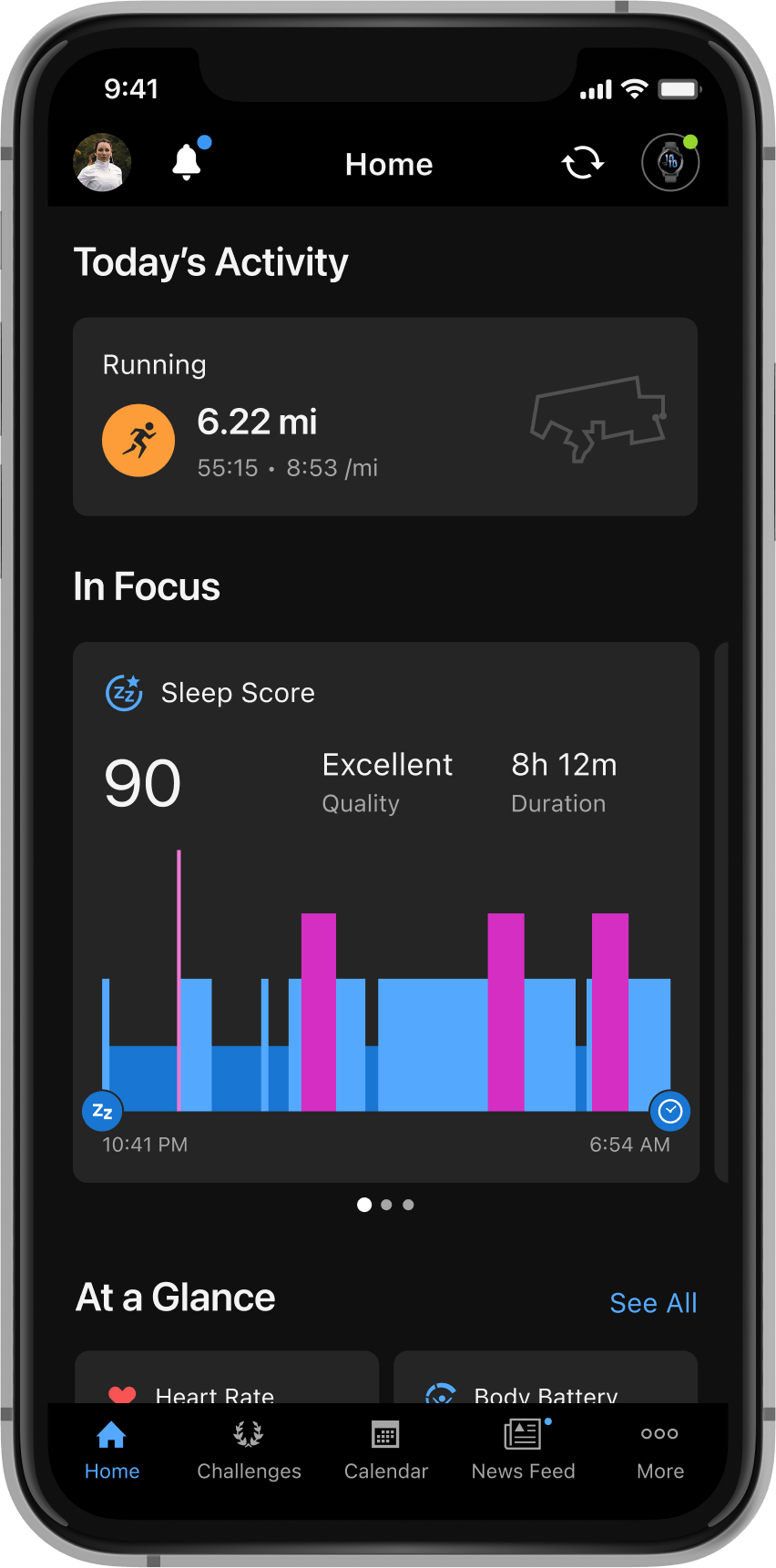
Garmin Connect is a training and health dashboard. If you wear a Garmin watch, it’s where your steps, heart rate, sleep score, Body Battery energy level, VO2 max estimate, and Training Status all live, entirely free. It also includes a genuinely strong training plan builder: pick a goal and timeline, and Garmin adjusts your weekly schedule as your fitness changes. You can also build and save your own custom routes for free in Garmin Connect, something Strava reserves for paying subscribers.
Strava is a social network built around fitness. Its strength is the activity feed, kudos, comments, and Segments — timed sections of road or trail where you compete against everyone else who’s run or ridden that stretch. It works with virtually any GPS watch or phone, not just Garmin, so it’s the common ground where people on different hardware brands can follow each other and compare efforts.
Pricing and What’s Behind the Paywall
Strava’s free tier covers GPS tracking, the activity feed, basic stats, segment viewing, kudos and comments, club participation, and access to suggested ‘Routes made for you.’ Strava Premium runs $11.99/month or $79.99/year and unlocks drawing and saving your own custom routes, offline maps, route recommendations, Fitness & Freshness trends, performance predictions, filtered leaderboards, and group challenges — building your own route from scratch is a subscriber-only feature, not something free accounts can do.
Garmin Connect’s core tracking, workout history, training status, sleep tracking, Body Battery, route/course building, and the training plan builder are all free with any Garmin device. In 2025 Garmin introduced an optional Garmin Connect+ tier ($6.99/month or $69.99/year) that adds AI-generated daily insights (Active Intelligence), enhanced LiveTrack for sharing activities with followers, exclusive badges and challenges, video coaching guidance, and a historical performance dashboard. Garmin has stated the features free users already have will stay free.
So the real cost comparison: if you already own a Garmin, you get more free functionality out of Garmin Connect than you do out of free Strava. Strava’s paywall hits harder because more of its signature features — including custom route building, segments leaderboards beyond the basics, and deep trend analysis — sit behind it.
Tips / Common Mistakes
Connect them instead of choosing one. In the Strava app, go to Settings > Connect an App or Device > Garmin, then sign in to your Garmin Connect account and accept the permissions. After that, activities recorded on your Garmin upload to Garmin Connect first and forward to Strava automatically, usually within a few minutes.
Don’t expect selective syncing. Garmin doesn’t let you choose which activity types forward to Strava — once connected, every eligible workout syncs, so runs, rides, and even walks will all show up in your Strava feed unless you make them private.
Watch for duplicate Strava accounts. If you’ve ever reconnected Garmin to a new Strava account, Garmin only syncs to the most recently connected one, which is a common reason people think their sync ‘broke.’
Build routes in Garmin Connect, not Strava, if you’re not paying for Strava Premium. Since drawing custom routes is locked behind Strava’s paywall, Garmin owners should plan routes for free in Garmin Connect (or its Course Creator) and let the route sync to their watch, rather than assuming Strava’s free tier can do it.
Explore more: more fitness app comparisons and training guides.
Strava vs Garmin Connect FAQs
Do I need both Strava and Garmin Connect?
Not strictly, but most Garmin owners use both: Garmin Connect for training data and recovery metrics, Strava for the social feed and segments. Non-Garmin users (Apple Watch, Coros, phone-only) typically rely on Strava alone since it works across devices.
Is Strava or Garmin Connect better for training plans?
Garmin Connect’s free training plan builder is more robust out of the box, adjusting your schedule to your fitness and goal timeline. Strava’s training tools (Fitness & Freshness, performance predictions) require a Premium subscription.
Can I build custom routes for free on Strava?
No. Strava’s free tier only offers suggested ‘Routes made for you.’ Drawing and saving your own custom route, plus offline maps, requires a Strava Premium subscription. Garmin Connect, by contrast, lets you build and save custom routes for free.
Does Garmin Connect+ replace the free version of Garmin Connect?
No. Garmin Connect+ is an optional add-on tier for $6.99/month or $69.99/year that layers on AI insights, exclusive badges, and coaching video content. Garmin has said existing free features remain free.
Why aren’t my Garmin activities showing up on Strava?
Check that Garmin and Strava are still linked under Strava’s Connected Apps settings, and confirm you’re not accidentally syncing to an old or duplicate Strava account, since Garmin only forwards activities to the most recently connected one.
Make Your Digital Life Better
More practical tech how-tos, tool picks, and guides to upgrade your everyday digital life. More on GTWebs.
Want web tips in your inbox? Subscribe to the free newsletter.
Images: Strava.