

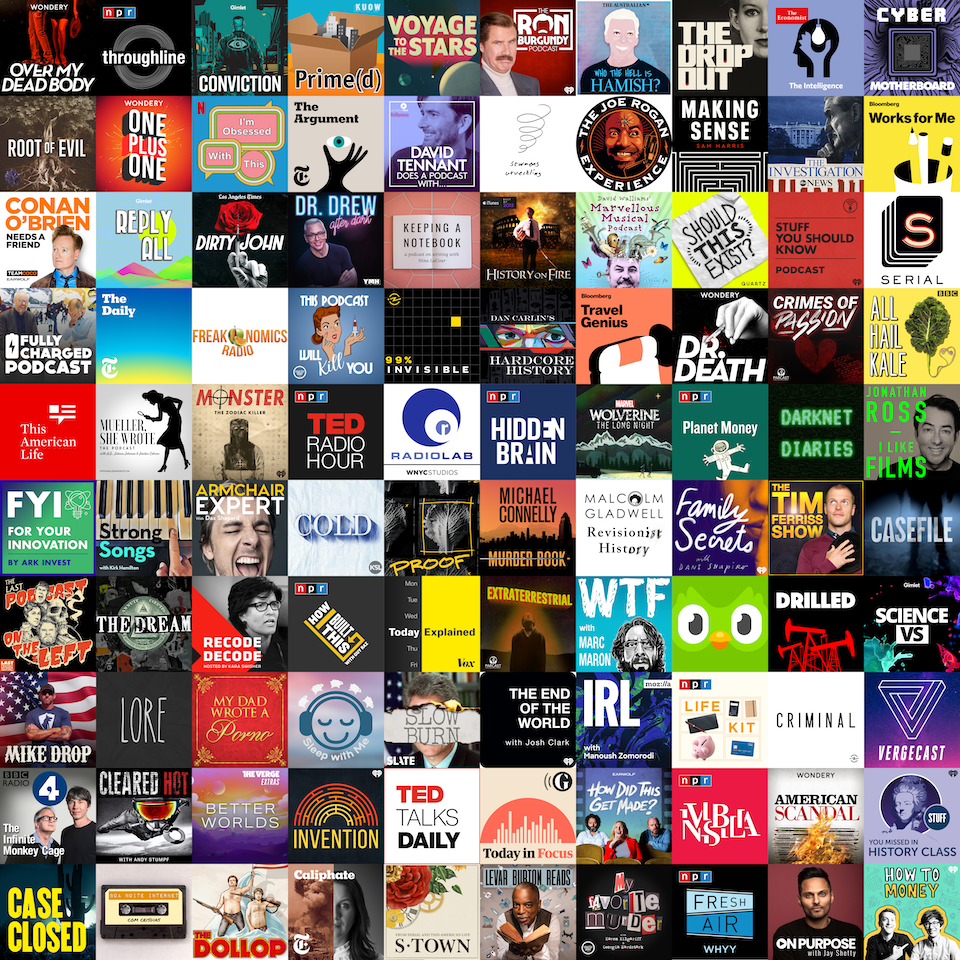
A good commute podcast app should do three things without drama: download episodes before you lose signal underground or on the highway, connect cleanly to your car or headphones, and remember where you left off across devices. Not every app does all three equally well, and the right pick depends heavily on whether you’re on iPhone, Android, or juggling both.
Table of Contents
This guide compares five apps commuters actually rely on — Pocket Casts, Spotify, Apple Podcasts, Overcast, and AntennaPod — on the things that matter for a daily commute: offline downloads, CarPlay/Android Auto support, sync, and cost.

Quick Answer
For most commuters, Pocket Casts is the best all-around choice — it works on iOS, Android, web, and desktop with reliable cross-device sync, strong offline downloads, and support for CarPlay, Android Auto, Sonos, and Alexa. If you’re iPhone-only and want the tightest Siri/CarPlay integration, Apple Podcasts (free, preinstalled) or Overcast (free with an optional ad-free upgrade) are better fits. Android users who want a completely free, ad-free, no-account option should look at AntennaPod. If you already pay for Spotify and don’t want a second app, its podcast support is solid — including episode chapters — but it still has fewer commuter-specific playback controls than dedicated podcast apps.
What Commuters Actually Need From a Podcast App
Offline downloads matter more than almost anything else — subways, tunnels, rural highway stretches, and spotty cell coverage will interrupt streaming, so look for an app that lets you queue and auto-download episodes over Wi-Fi before you leave the house.
Car integration is the second big factor. CarPlay and Android Auto let you control playback, skip, and switch shows with voice commands or steering-wheel buttons instead of touching your phone. Apple Podcasts has the deepest CarPlay integration since it’s built into iOS, while Spotify and Pocket Casts work well across both CarPlay and Android Auto if you switch phones or share a car.
Playback tools save real time on a commute: variable playback speed, silence trimming (which shortens dead air in talk shows without pitch distortion), and volume normalization so you’re not constantly adjusting volume between a quiet interview and a loud intro. Overcast’s Smart Speed and Voice Boost and Pocket Casts’ silence trimming and volume boost are built specifically for this.
Cross-device sync keeps your place and queue consistent if you listen on your phone during the commute and finish an episode on a laptop or smart speaker later — Pocket Casts and Spotify handle this natively across platforms; Overcast and Apple Podcasts sync well within Apple’s ecosystem but don’t extend to Android.
Side-by-Side: Five Apps Compared
Pocket Casts (iOS, Android, web, macOS, Windows, watchOS, Wear OS) is the most cross-platform option, with variable speed controls, automatic silence trimming, volume boost, and custom skip intervals. It connects to CarPlay, Android Auto, Sonos, and Alexa. The free tier covers core listening; Pocket Casts Plus (about $3.99/month or $39.99/year) adds folders, smart shuffle, bookmarks, cloud storage, and wearable app support.
Spotify (iOS, Android, web, desktop) treats podcasts alongside music, with algorithmic recommendations and a growing library of video podcasts. It supports offline downloads and CarPlay/Android Auto for Premium subscribers ($12.99/month for an individual plan), and it now includes episode chapters — including auto-generated chapters on many shows — that let you jump straight to a section. What it still lacks compared with dedicated podcast apps are commuter-focused controls like silence trimming and custom per-show skip intervals.
Apple Podcasts (iPhone, iPad, Mac, Apple Watch, Apple TV, and a web player at podcasts.apple.com) comes preinstalled on every iPhone and is completely free. It has the tightest Siri and CarPlay integration of any app here, plus support for individual publishers’ premium show subscriptions and transcripts. The tradeoff is that it’s built for Apple’s ecosystem and doesn’t sync to Android.
Overcast (iPhone, iPad, Apple Watch) is a lean, independently developed app built specifically for commute-friendly listening. Its signature features — Smart Speed, which dynamically shortens silences in talk shows, and Voice Boost, which normalizes volume across shows — are available free, supported by ads for podcast promotions. An optional annual premium subscription removes ads and adds a custom app icon and personal audio uploads.
AntennaPod (Android only) is a free, open-source, ad-free, and tracking-free podcast player maintained by volunteers. It covers the essentials — RSS subscriptions, variable speed, automatic silence skipping, sleep timer, episode queueing, and OPML import/export for moving from another app — with no account or premium tier required. It supports Android Auto out of the box, though some users have reported occasional connection hiccups depending on device and app version.

Tips and Common Mistakes
Set downloads to happen automatically over Wi-Fi only, so you’re not burning mobile data or arriving at your stop with an episode still downloading. Most apps let you set this under playback or download settings.
Don’t skip the car integration check before committing to an app — test CarPlay or Android Auto with your actual car before assuming it works well, since experience varies by vehicle infotainment system, not just the app.
If you switch between iPhone and Android (or share a household with mixed devices), avoid Overcast or Apple Podcasts as your primary app, since neither syncs outside Apple’s ecosystem — Pocket Casts or Spotify will save you from losing your listening history.
Silence-trimming and speed features are easy to forget about but add up fast on a daily commute — even a modest speed increase or silence trim can shave real minutes off a 30-40 minute listen without making hosts sound unnatural.
Explore more: More Culture picks and app comparisons.
Best Podcast Apps for Commuters FAQs
What’s the best free podcast app for commuters?
Apple Podcasts (iPhone) and AntennaPod (Android) are both completely free with no ads or account required. Pocket Casts and Overcast also offer capable free tiers, with optional paid upgrades for extra features.
Does Spotify work well for podcasts on a commute?
Yes, if you’re already a Spotify Premium subscriber — it supports offline downloads, CarPlay/Android Auto, and episode chapters. It still has fewer dedicated commute controls, like silence trimming, than apps built specifically for podcasts.
Which podcast app has the best car integration?
Apple Podcasts has the tightest CarPlay integration since it’s built into iOS. For a cross-platform option that works well on both CarPlay and Android Auto, Pocket Casts and Spotify are the strongest choices.
Can I sync my podcast listening across an iPhone and an Android phone?
Yes, with Pocket Casts or Spotify — both sync playback position and subscriptions across iOS, Android, and web. Apple Podcasts and Overcast do not sync outside Apple devices.
Make Your Digital Life Better
More practical tech how-tos, tool picks, and guides to upgrade your everyday digital life. More on GTWebs.
Images: Pocket Casts.