

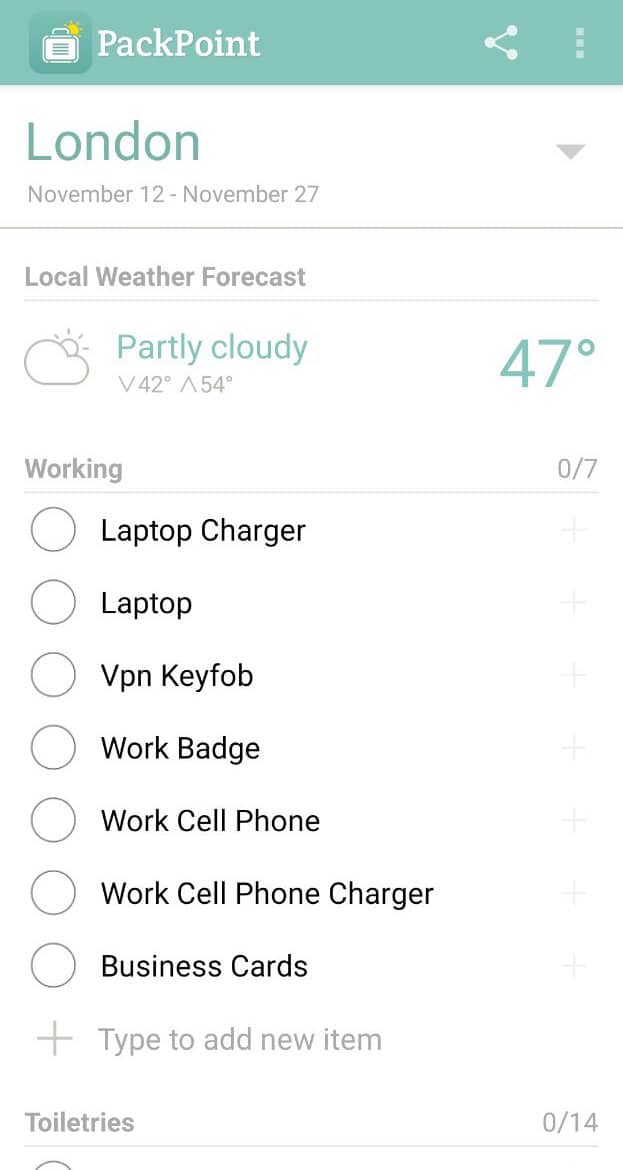
That sinking feeling when you land and realize you left your phone charger, swimsuit, or passport copy at home is completely avoidable. A good packing list app builds your checklist automatically from your destination, trip length, weather forecast, and planned activities, then lets you check items off as you pack — so nothing gets left behind in the pre-trip scramble.
Table of Contents
This guide compares the packing apps worth actually using, walks through how to set one up in a few minutes, and covers the mistakes that make even a good packing list fail.
Quick Answer
For most travelers, PackPoint (iOS and Android) is the best dedicated packing list app — it’s free, generates a weather- and activity-based list in under a minute, and its premium unlock ($2.99, one-time purchase on both iOS and Android) adds custom items and TripIt syncing. If you already use Wanderlog for itinerary planning, its free built-in checklist feature is good enough that you may not need a separate app at all.
The Best Packing List Apps, Compared
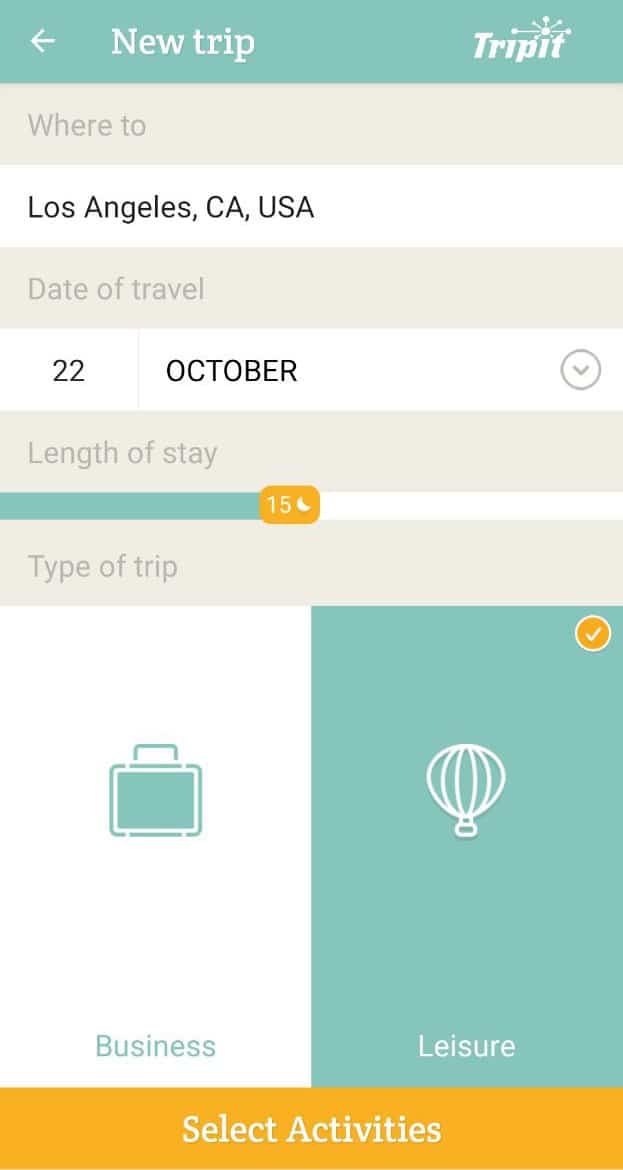
PackPoint (packpnt.com) is the most established name in this category. You enter your destination, trip dates, and check boxes for activities like hiking, business meetings, or beach days, and it pulls local weather and generates a categorized list — clothing, toiletries, electronics, documents — with quantities adjusted for trip length. It also has a ‘pack light’ mode that trims the list to bare essentials and a laundry toggle that reduces clothing counts if you plan to wash mid-trip. The free version covers the basics; the one-time premium unlock ($2.99) adds custom activities, custom items, and the ability to sync lists through TripIt or Evernote. There’s no subscription.
Packr (packr.app) takes a similar weather-and-activity approach but leans more visual, with icon-based checklists across roughly two dozen predefined activity types. It supports multi-destination trips, can import itineraries from TripIt, works offline, and lets you assign items to specific bags — useful if you’re splitting gear between a carry-on and checked bag or packing for a family. It’s built primarily for iPhone and iPad; check current App Store availability before assuming an Android version exists.
Wanderlog (wanderlog.com) isn’t a dedicated packing app — it’s a full trip planner (itinerary, maps, budgeting, document storage) with a checklist feature built in. Inside any trip, you tap the add button, choose ‘Checklist,’ and either build your own list or start from one of Wanderlog’s premade templates. It’s free to use, works on iOS and Android, and is a good pick if you’d rather manage packing alongside your itinerary in one app instead of juggling two.
If you don’t want a travel-specific app at all, general checklist tools like Google Keep, Todoist, or Notion work fine for packing — you lose the automatic weather/activity suggestions, but you gain reusable templates you fully control and can share with anyone via a link, regardless of what app they use.
How to Set Up a Packing List That Actually Works
Start with a base template, not a blank page. In PackPoint or Packr, enter your destination and dates first so the weather forecast populates before you start editing — this is what determines whether the app suggests a rain jacket or sunscreen. Then select every activity that applies, even ones you’re only ‘maybe’ doing (a hike, a nice dinner, a pool day) — it’s easier to delete a suggested item than to remember one the app never thought to include.
Customize before you travel, not during. Add the items that are specific to you — medications, chargers for specific devices, a particular adapter for the country you’re visiting — a day or two before packing, not the night before. This is also when to delete anything the app suggested that doesn’t apply, so your final list is quick to scan.
Use the app’s category view while you actually pack, checking items off in real time rather than trusting your memory. If you’re traveling with others, share the list (most of these apps support this) so nobody’s each buying a duplicate travel pillow or, worse, assuming the other person packed the phone charger.
Tips and Common Mistakes
The biggest mistake is building the list too early and never updating it when weather or plans change — recheck the forecast a day before you leave, since it can shift after you first created the list. Second, don’t skip the ‘documents’ and ‘before you leave the house’ categories most apps include by default; these cover things like passport, boarding passes, and turning off the stove, which are easy to overlook when you’re focused on clothes. Third, resist packing for a fantasy version of the trip — if the app suggests hiking boots because you checked ‘hiking’ as a maybe, cut it if you’re honestly unlikely to go. Finally, keep one master template for your most common trip type (weekend carry-on, international two-week, business trip) so you’re editing a proven list instead of starting from scratch every time.
Explore more: more travel planning guides.
Best packing list apps FAQs
What is the best free packing list app?
PackPoint’s free tier covers weather- and activity-based list generation for most trips, and Wanderlog’s built-in checklist feature is fully free if you want packing bundled with itinerary planning.
Do packing list apps work offline?
PackPoint and Packr both support offline access once your list is generated, so you can check items off without a signal while packing or at the airport.
Can I share a packing list with someone I’m traveling with?
Yes — PackPoint, Packr, and Wanderlog all support sharing or exporting a list so travel companions can see and edit the same checklist.
Is PackPoint or Packr better?
PackPoint is available on both iOS and Android and has a longer track record with TripIt/Evernote integration; Packr is iOS-focused and leans more visual with bag-assignment features, which suits family or multi-bag trips.
Make Your Digital Life Better
More practical tech how-tos, tool picks, and guides to upgrade your everyday digital life. More on GTWebs.
Images: Packpnt.