

Your browser doesn’t have to feel like a shouting match between autoplay videos, cookie banners, and forty open tabs you’re afraid to close. A handful of well-chosen extensions can strip out the noise and hand you back a browsing experience that’s quieter, faster, and easier on your attention.
Table of Contents
This guide covers the extensions that actually do this well in 2026, including what changed after Chrome’s Manifest V3 rollout broke some longtime favorites, and how to set them up without turning your browser into a Frankenstein of conflicting tools.
Quick Answer
For a calmer, cleaner browser, install a content blocker (uBlock Origin Lite on Chrome, full uBlock Origin on Firefox or Brave), a dark-mode tool like Dark Reader, a tab manager like OneTab, a cookie-banner blocker like I Still Don’t Care About Cookies, and a password manager like Bitwarden so login friction stops eating your patience. Five extensions, installed once, cover most of the noise.
The core extensions worth installing
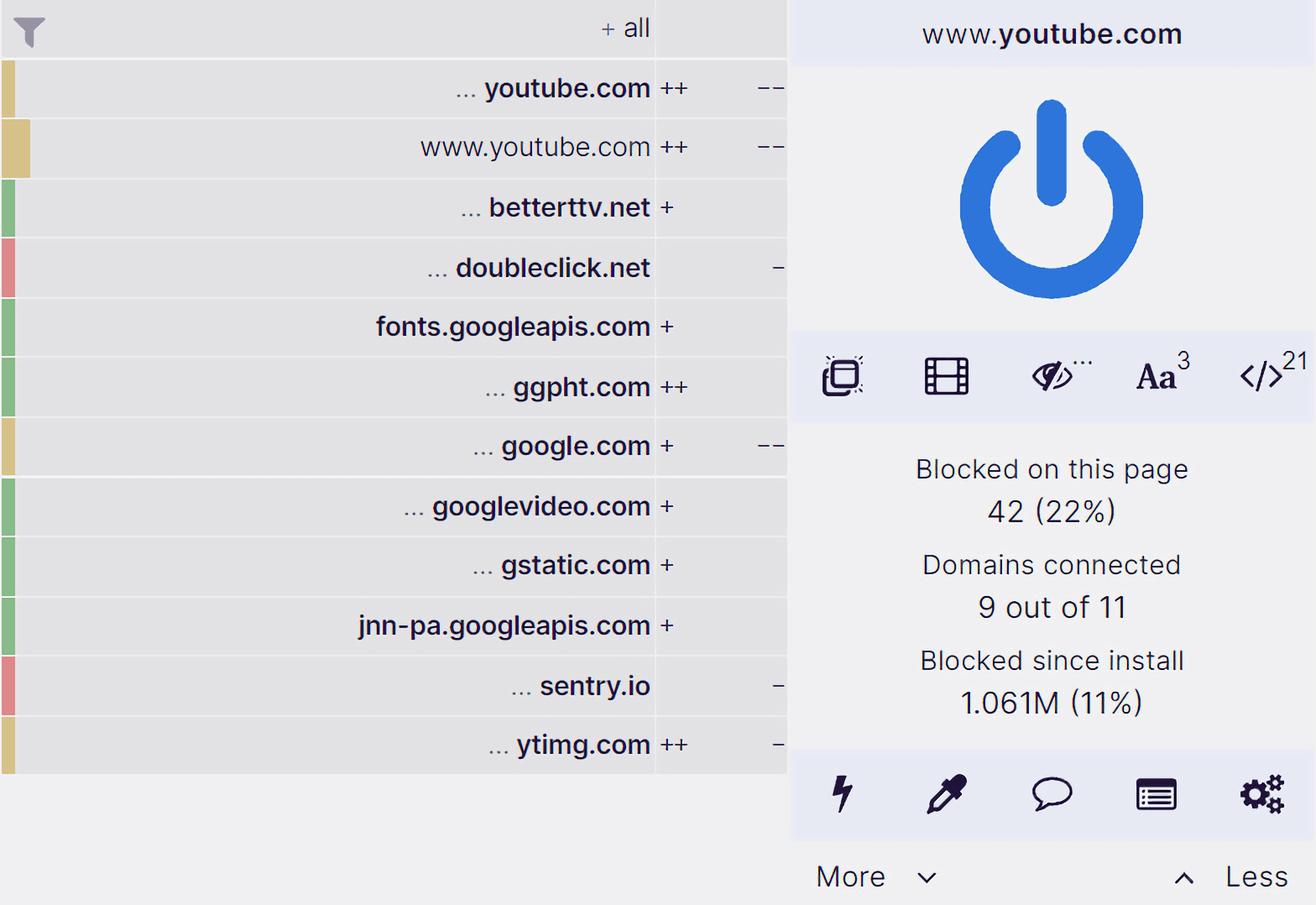
Start with a content blocker. uBlock Origin has long been the standard for stripping ads and trackers while using very little memory. The catch: Google finished retiring Manifest V2 extensions in Chrome, and the enterprise policy (ExtensionManifestV2Availability) that let organizations keep the full version running past the deadline was itself removed in Chrome 139. Chrome users now run uBlock Origin Lite, which blocks most ads and trackers but with somewhat reduced filtering power compared to the original. If ad-blocking is a priority and you’re flexible on browser, Firefox and Brave still support the full uBlock Origin, since Firefox has committed to keeping Manifest V2 support and Brave built its own workaround.
Next, kill the cookie banners. I Still Don’t Care About Cookies (a community-maintained continuation of the original extension) auto-dismisses or auto-accepts consent pop-ups on most sites, so you stop clicking ‘Accept’ fifteen times a day. It’s available for Chrome, Firefox, and other Chromium browsers.
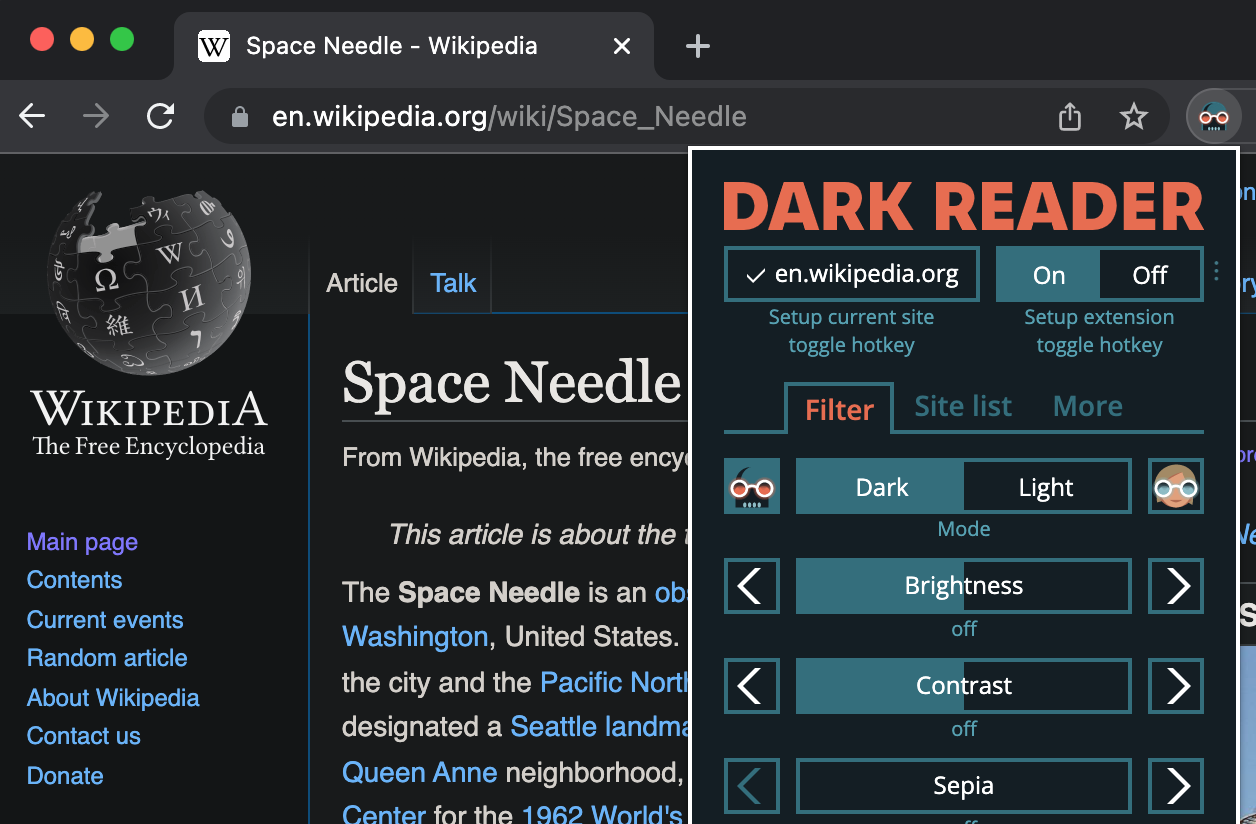
For visual calm, add Dark Reader. It’s open-source, doesn’t collect or transmit any data, and generates a dark theme for basically any site, including ones that never built one themselves. You can tune brightness, contrast, and sepia, set it per-site instead of globally, and schedule it to switch on automatically at night so you’re not manually toggling settings.
If YouTube is your biggest time sink, Unhook strips out the homepage recommendation feed, sidebar suggestions, Shorts, and comments, leaving just the video you came to watch. It runs entirely locally, doesn’t collect user data, and is free for Chrome, Firefox, and Edge.
Finally, deal with tab overload. OneTab converts every open tab into a single scrollable list with one click, which frees up system memory and gives you a visual reset instead of a wall of tiny favicons. Nothing is uploaded anywhere unless you deliberately choose to share a tab list as a web page. A password manager like Bitwarden also quietly reduces daily friction: unlimited free password storage, autofill across devices, and no more re-typing or resetting logins mid-task.
How to set these up without extension overload
Install one extension at a time and test a few sites you visit daily before adding the next. Overlapping ad blockers or dark-mode tools can fight each other, break page layouts, or double up on memory use. Check each extension’s permissions when installing; a content blocker legitimately needs to read and modify page data, but a tab manager or password manager asking for the same broad access on every site is worth a second look.
Pin the two or three you’ll use constantly (content blocker, tab manager) to the toolbar, and let the rest live in the extensions menu. Revisit your list every few months, since browser and extension APIs keep shifting, most visibly with Chrome’s Manifest V3 changes, and last year’s setup may quietly stop working.

Tips and Common Mistakes
Don’t install five overlapping ad blockers hoping for better coverage; running more than one usually causes broken pages, not better blocking. Check that an extension is still actively maintained before installing; the Manifest V3 transition left a lot of abandoned Chrome extensions that look installable but no longer function. If a site breaks after installing a new extension, disable extensions one at a time to isolate the culprit rather than assuming it’s a site problem. And be skeptical of extensions requesting ‘read and change all your data on all websites’ unless the core function genuinely requires it, since that’s the same permission a malicious extension would need.
Explore more: more Culture articles.
Browser extensions for calmer browsing FAQs
Does uBlock Origin still work on Chrome in 2026?
Not the full version. Chrome retired Manifest V2 extensions, and the enterprise policy that let organizations extend support was removed in Chrome 139, so Chrome users run uBlock Origin Lite instead, which has reduced filtering compared to the original. The full uBlock Origin still works on Firefox and Brave.
Is Dark Reader safe to use on every site?
Yes, it’s open-source and doesn’t send your data anywhere. You can also exclude specific sites from dark mode individually if a site’s own dark theme conflicts with it.
Will a tab manager like OneTab slow down my browsing?
The opposite — it reduces active tabs to a single list, which frees up the memory each open tab was using, and you restore pages individually or all at once when needed.
Do I need a separate cookie-banner blocker if I already have an ad blocker?
Usually yes. Ad blockers focus on ads and trackers; a dedicated tool like I Still Don’t Care About Cookies is built specifically to detect and dismiss consent banners, which many ad blockers don’t handle by default.
Make Your Digital Life Better
More practical tech how-tos, tool picks, and guides to upgrade your everyday digital life. More on GTWebs.
Images: uBlock Origin.